Guide
Metrics
How to create performance metrics and use them in your Aragro activities.
Leer en español →Every crop has its own particularities, and we want to make sure you can see the progress of your activities, especially when they are measured in a specific way.
What measuring progress means
Section titled “What measuring progress means”In Aragro, measuring progress means recording the amount of work completed in a work order: for example, area covered during spraying, plants planted, or meters of road repaired.
In this module, you can create your own performance metrics for the company.
Create a metric
Section titled “Create a metric”From the Metrics section in Aragro, you can see all the preloaded metrics. If the metric you need is not on the list, you can create it.
Use the “+ Create new” button. A form will open on the right side of the screen.
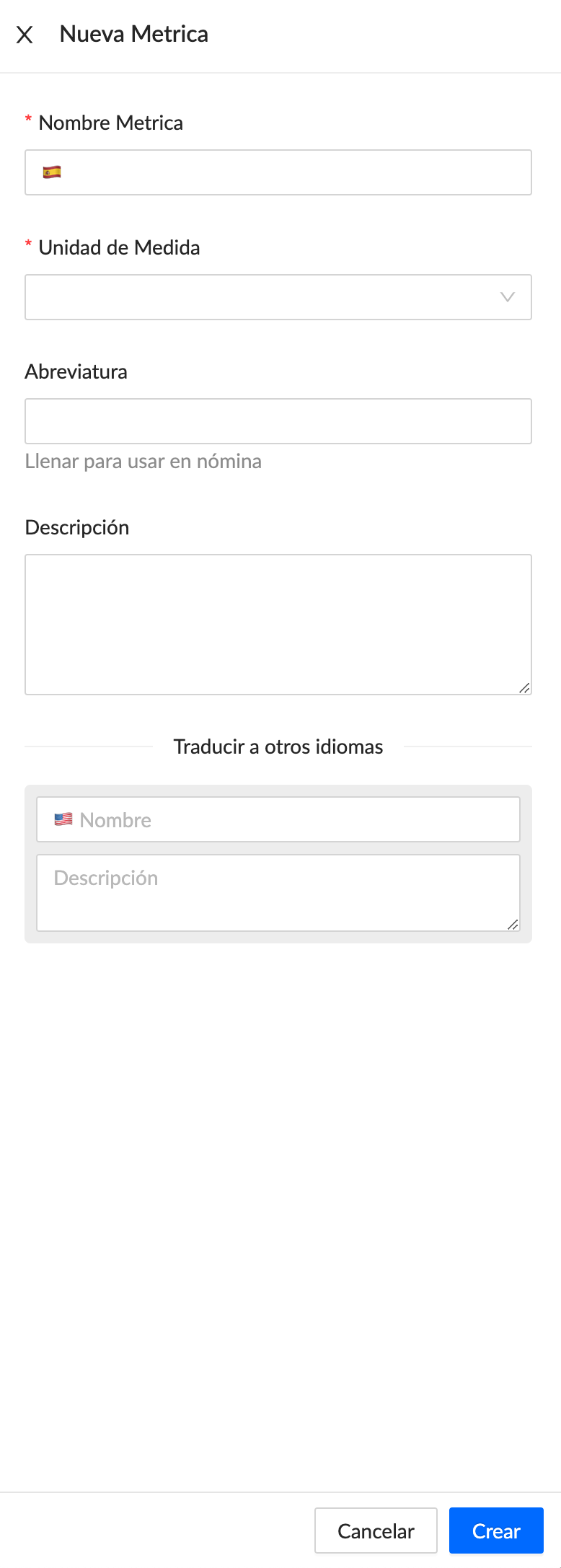
Don’t forget to refresh your browser page after saving the changes.
Use the metric in an activity
Section titled “Use the metric in an activity”Once the metric has been created, go to the activity where you want to measure progress.
Inside the activity, edit the Metrics section. Select the unit for measuring progress and then choose the metric you need from the dropdown indicated by the blue arrow. Don’t forget to click “+ Add”.
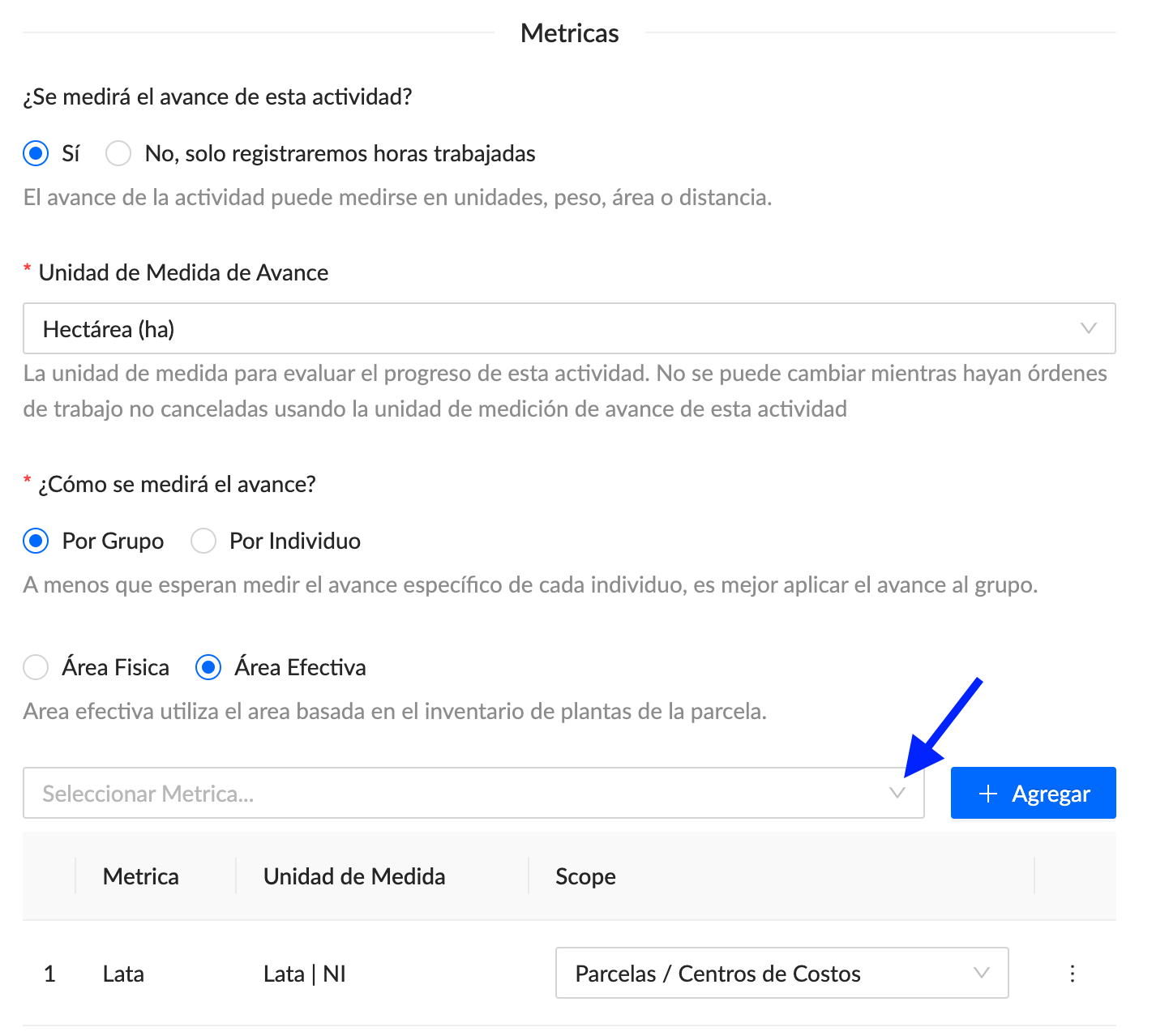
Once that’s done, save the activity changes in the bottom-right corner of the screen.