Guide
Weather
Record weather information in Aragro to support day-to-day farm management.
Leer en español →Notice: This article describes features included in the Cosecha plan. Some features may not be available to users on the Semilla or Cultivo plans. Compare plans.
Using Aragro’s Weather modules is essential for efficient, proactive farm management. Here is how to make the most of this tool.
Open the Weather module
Section titled “Open the Weather module”- In the left sidebar, select Agriculture. You will find Weather in that module.
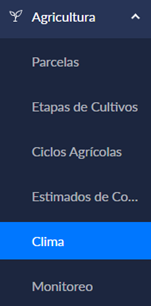
Main features
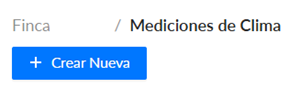
Section titled “Main features”To enter new weather data, click “+ Create new.”
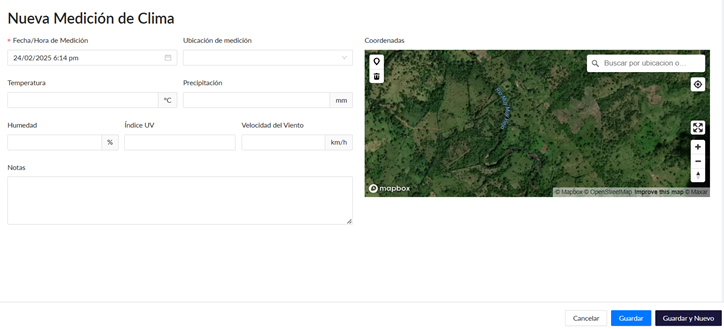
Fill in all the fields shown with the information available to you.
Finally, click Save in the bottom-right corner to save the information you entered.
Making the Weather and Pest Monitoring modules part of your daily routine can help you anticipate potential risks and optimize resources.
If you have a question this guide does not answer, contact us in the Aragro chat and we will be happy to help.