Guide
Pest and disease monitoring
Record and monitor pests and diseases in your crops with Aragro.
Leer en español →Notice: This article describes features included in the Cosecha plan. Some features may not be available to users on the Semilla or Cultivo plans. Compare plans.
The Pest Monitoring module lets you record and monitor pests in your crops, supporting integrated and efficient management.
Open the Pest Monitoring module
Section titled “Open the Pest Monitoring module”In the left sidebar, select Agriculture, then Pest Monitoring.
Record observations
Section titled “Record observations”Aragro has a preloaded catalog of pests, diseases, and weeds, available from Pest Monitoring in Aragro. If needed, you can also click “+ Create new.”
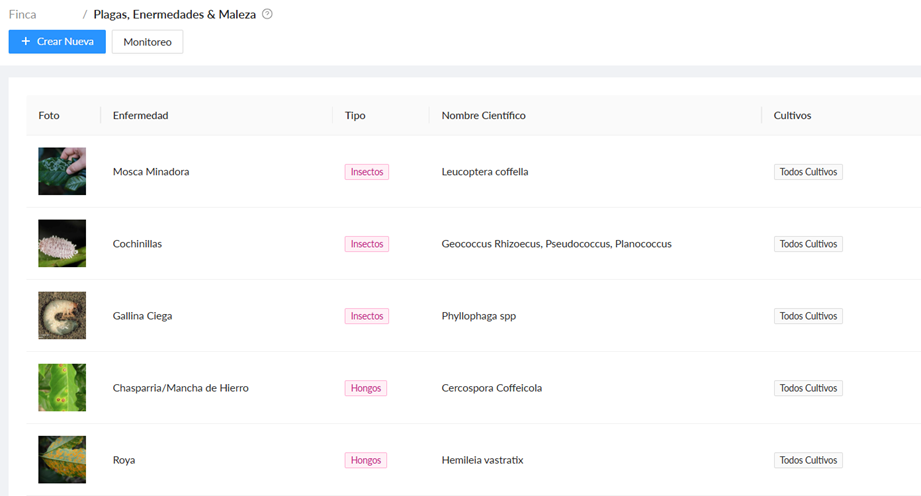
To record a monitoring observation:
- In the left-side Agriculture module, open Monitoring.
- Click “+ Create new” to start a record.

- Enter the observation details:
- Plot: Identify the affected area.
- Note type.
- Observation date.
- Add disease sample:
- Disease.
- Source.
- Section.
- Sample size.
- Observed impact (source field: “Afectaciones encontrado”).
- Photo.
- Message: Optional.
- Photo: Optional.
- Additional observations: Add relevant comments, such as crop conditions or possible causes.
Create: Once you have completed the fields, save the observation so you can monitor it.
Making the Pest Monitoring module part of your daily routine can help you anticipate potential risks, optimize resources, and improve the overall health of your crops.
If you have a question this guide does not answer, contact us in the Aragro chat and we will be happy to help.